
Tips & Ideas
How to clean a signature image for document use.
4 min read · RemoveBGAI Team

A clean digital signature is one of the most practical assets you can prepare once and reuse indefinitely. Whether you need to place your signature into a PDF contract, a Google Doc, an email footer, or a digital form, a transparent PNG of the signature is the format that works everywhere. This guide explains how to capture, clean, and export a signature image that looks professional in any document context.
Tested with RemoveBGAI · October 2026
What actually happened when we ran it
A test image that mimics a phone photo of a signed page: blue script lettering, uneven lighting from one corner, and a printed signature line and label. Upload to finished cutout: 0.8 s (Chrome on a Mac, model already downloaded).

What worked
- Every stroke of the signature was kept, and the uneven paper shading was removed completely.
Where it struggled
- The printed "Signature" label and part of the signature line were kept as well, because they look like ink too.
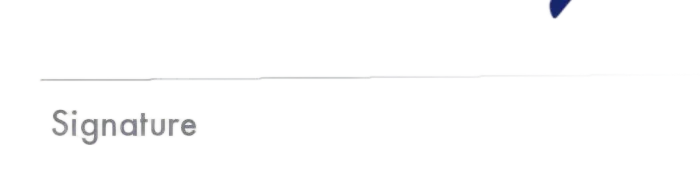
How to fix it: Crop the photo tightly around the signature before you upload it. That one step keeps printed text and lines out of the result.
Try the editor
Remove backgrounds from your next image with RemoveBGAI
Remove BackgroundWhy the capture method matters
Background removal works best when there is a strong contrast between the ink and the page. Dark black or blue ink on clean white paper under even light gives the model the clearest signal. The background becomes easy to separate because every dark pixel is almost certainly ink and every light pixel is almost certainly page.
Problems start when the paper has shadows from folding, heavy texture from thick paper stock, camera noise from shooting in low light, or stray marks around the signature. These introduce ambiguous pixels at the edge of the ink strokes where the model has to make harder decisions. Better capture conditions produce better removal results without any additional editing.
How to capture a good signature for removal
- Sign on plain white printer paper with a dark pen — avoid light ink colors or gel pens that have low opacity.
- Photograph on a flat surface near a window with indirect daylight, or use a scanner if available.
- Crop the image tightly around the signature before uploading to reduce the background area.
- Avoid casting a hand shadow over the page while photographing.
- Use your phone camera in standard mode — portrait mode and HDR can create uneven edge lighting.
Removing the background and checking the result
Upload the signature image to RemoveBGAI. The model will identify the ink strokes as foreground and the paper as background and generate a transparent version. After processing, check the result by toggling to a dark preview background. Any paper texture or shadow that was not fully removed will be visible as a faint grey layer behind the ink — it is invisible on white but immediately obvious on dark.
Pay special attention to thin strokes, crossing lines, and any decorative loops in the signature where the ink becomes very fine. These areas can be partially removed if the contrast drops at the edge. If a thin stroke looks broken, try uploading a higher-resolution version or a scan rather than a phone photo.
Using the transparent signature in documents
A transparent PNG signature can be inserted directly into PDFs using Adobe Acrobat, Preview on macOS, or most online PDF editors. In Google Docs or Microsoft Word, insert the PNG as an image and set the text wrapping so it sits cleanly on the page. In email clients that support HTML signatures, the transparent PNG floats on the white email background without any visible box around it.
Save the transparent PNG once and reuse it across every document that needs your signature. Compared to re-scanning every time or using an embedded image that carries a white rectangle, a well-prepared transparent file looks significantly more professional and handles any document background automatically.
Prepare the scan before removal
Write with dark ink on clean, unlined white paper and use even light. Photograph or scan straight on so the signature is not distorted. Crop away most empty paper, but leave a small margin around every stroke. A sharp, high-contrast source gives the model more information than a dim phone photo with shadows across the page.
If the paper is folded, textured, or photographed under warm light, correct those problems before removal when possible. The purpose is not to make the signature darker at any cost; it is to separate the ink from the surface without destroying thin entry and exit strokes.
Inspect the details that usually disappear
Zoom in on dots, flourishes, crossings, and the faint end of each stroke. Test the result on white, gray, and black backgrounds. A clean-looking result on white may still contain a white box or pale paper texture, while an aggressive cutout may look fine at normal size but lose fine marks when enlarged.
RemoveBGAI is suitable for making a visual signature asset, but it does not create a cryptographic digital signature and does not verify identity. Only place the exported image into documents you are authorized to sign, and store it as carefully as any other reusable signature file.
Export and document checklist
- Download PNG so the area around the ink remains transparent.
- Keep enough resolution for the document; avoid enlarging a tiny scan later.
- Insert the PNG into a copy of the document and confirm it remains legible at final print size.
- Delete temporary copies from shared folders or downloads when they are no longer needed.
- Use your document platform’s approved e-signature process when legal verification is required.
Try the editor
Remove backgrounds from your next image with RemoveBGAI
Remove BackgroundReader questions
Can I use a phone photo of my signature?
Yes. A phone photo works well if the lighting is even and the paper is clean and flat. Crop tightly to the signature, avoid shadows from your hand, and shoot in daylight or under a consistent indoor light source. A scanner produces even better results because it uses controlled lighting and a flat surface by design.
What if my signature has very thin strokes that disappear after removal?
Thin strokes disappear when the ink is too light or the resolution is too low for the model to distinguish fine detail. Use a scanner at 300 DPI or higher, or try a darker pen. If the strokes are simply very fine, they may need a manual touchup in an image editor after the initial removal.
Is a transparent PNG signature legally valid?
The validity of a digital signature depends on the jurisdiction and the agreement between parties, not the file format. Many contracts and business documents accept image-based signatures for routine use. For legally sensitive documents, verify what your specific platform or jurisdiction requires.